
PLEET
STOP
A great tool to optimize production
✅ Overview of production stops and causes
✅ Reduces downtime
✅ Quick restart of production
✅ Control production in real-time
PLEET Stop – Get a full overview of production stops in real-time
PLEET Stop gives you a precise and actionable overview of your production stops. The system is designed for manufacturing companies that want to reduce downtime, optimize operations and make decisions based on data – not gut feelings.
Record and understand your production stops
When a production machine stops, it’s crucial to know the cause. With PLEET Stop, the operator can easily detect the reason for the stop directly at the machine via intuitive screen graphics or through the PLEET App. It only takes a few seconds – but provides valuable insights.
The system automatically collects data about:
- When production stops
- How long the stop lasts
- What the reason for the stop is
PLEET can also communicate directly with the vast majority of production machines. This means that the system can automatically read out stop causes directly from the machine, without the need for manual registration. This ensures even more accurate data and reduces the risk of errors.
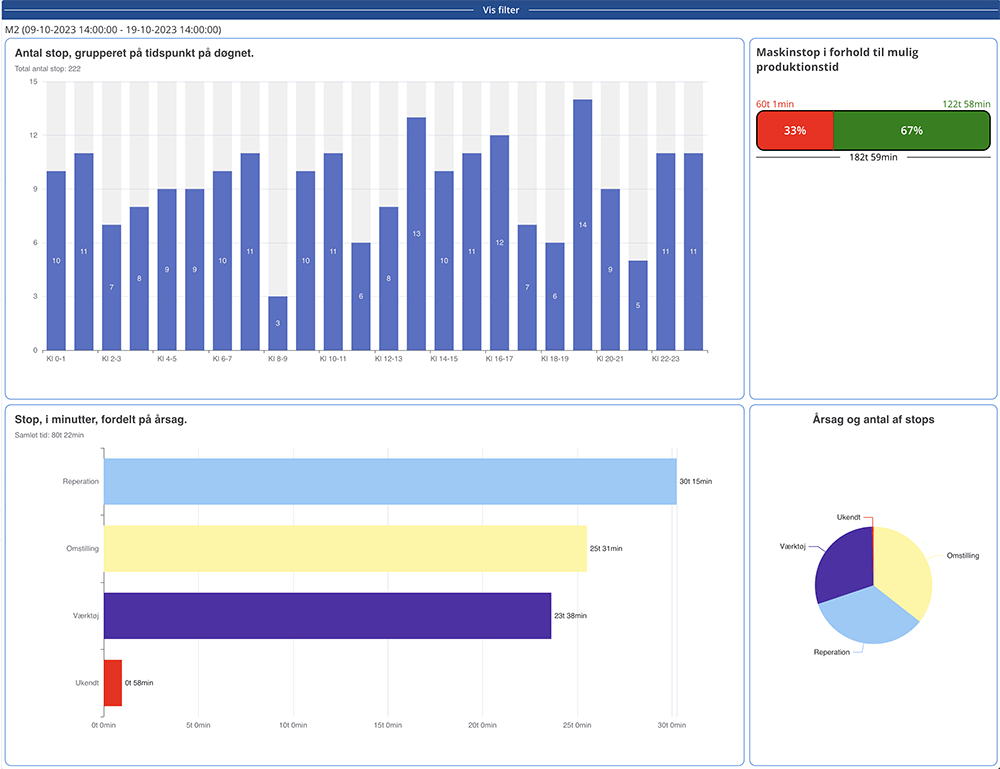
Overview of cause distribution on each production machine
PLEET Stop gives you a detailed overview of the cause distribution of stops on each production machine. This means you can quickly identify the biggest challenges in your production.
Among other things, you get:
- Clear visualization of the most frequent stop causes
- Insight into which machines create the most downtime
- A solid foundation for optimization and prioritization
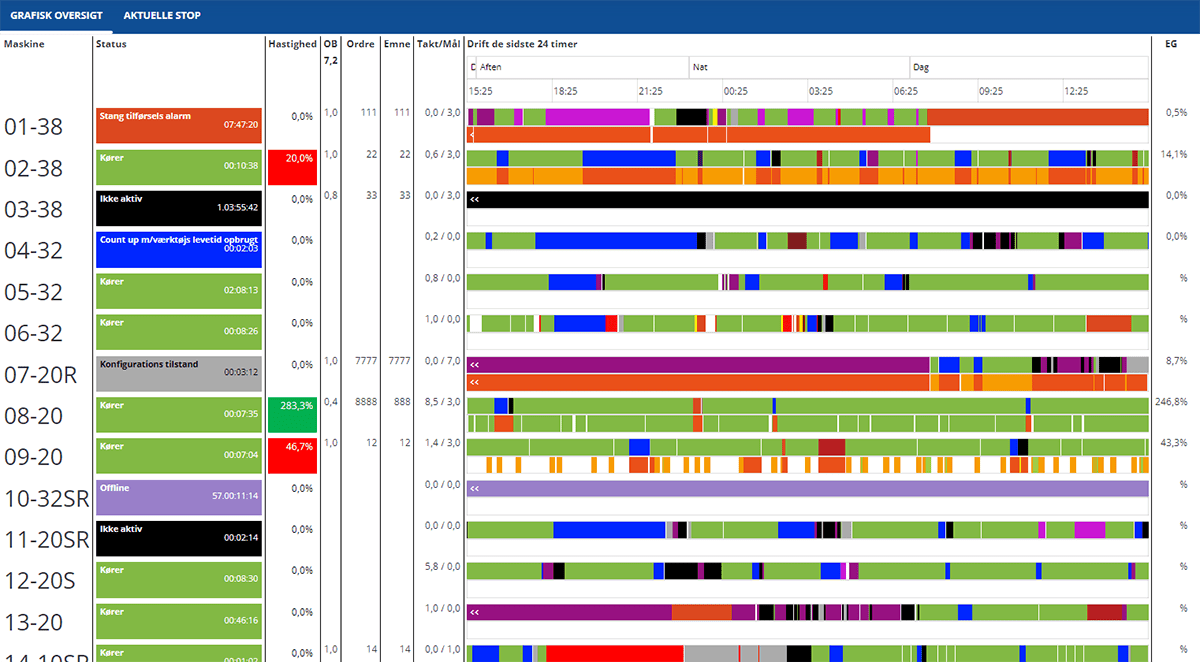
Real-time overview of production
With PLEET Stop, you always have a real-time overview of production. You can follow operations live and react immediately if problems arise.
Benefits of real-time data:
- Faster reaction time when stopping
- Better coordination in production
- Increased efficiency and less wasted time
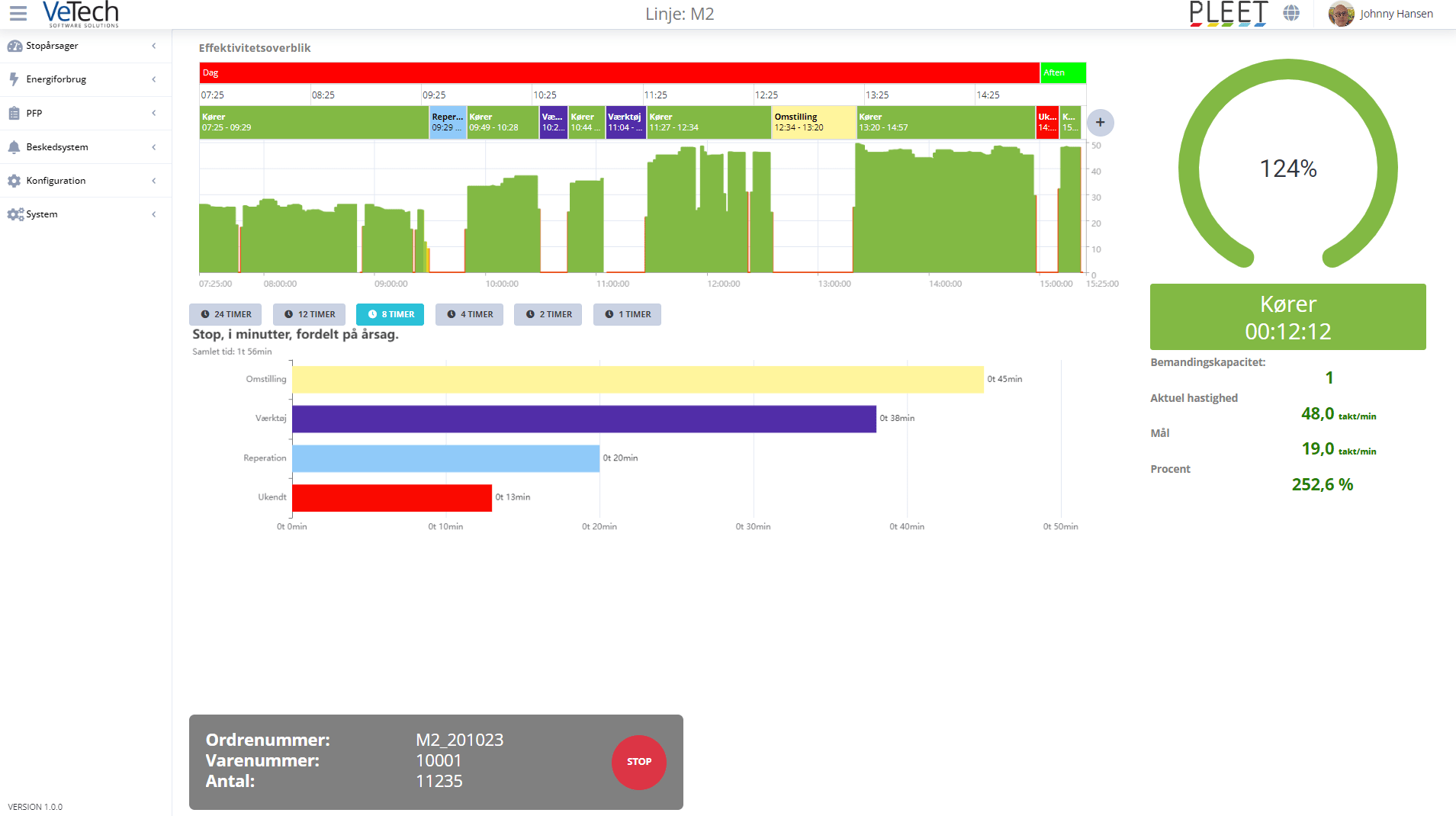
Display solution directly at the machine or the PLEET App
A user-friendly screen can be set up at each machine where the operator registers stop causes. The simple screen graphics ensure that recording becomes a natural part of the workflow – without disrupting production.
The display solution can also be accessed via the App, which is part of PLEET Notify. The PLEET app can be used on your phone or tablet. You can read more about PLEET Notify here: https://pleet.dk/pleet-notify/
Data and statistics for analysis
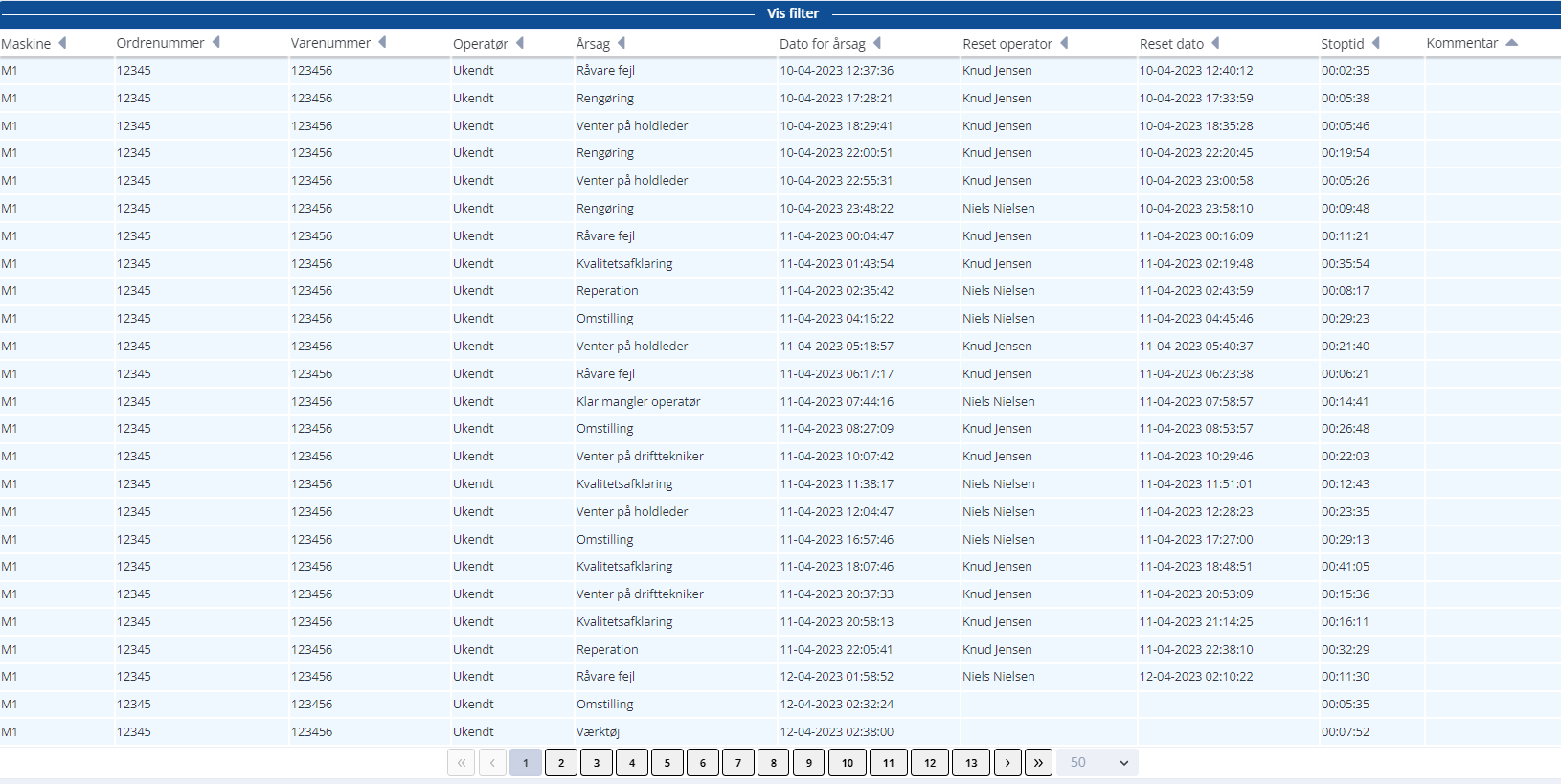
All data can be extracted and used for further analysis. For example, you can export statistics on stop causes to Excel for further optimization, reporting and documentation.
PLEET comes standard with a range of ready-made reports that help you identify patterns, bottlenecks and areas for improvement in production from day one. This means you can quickly gain insight into where to optimize – without having to build complex analyses from scratch.
You get instant access to actionable data so you can react quickly and work on improvements in a structured way.
It gives you:
- Data-driven decision making
- Opportunity for continuous improvement
- Documentation of production performance
Reduce downtime and get faster restarts
When you know your stop causes, you can act on them. PLEET Stop enables you to reduce downtime and ensure faster restart of production.
The result:
- More stable operation
- Increased productivity
- Better bottom line
Why manufacturing companies choose PLEET Stop
PLEET Stop is not just recording – it’s a tool for real optimization. When you gain insight into your production stops, you also get the opportunity to eliminate them.
Overview of the breakdown of causes for stops on each production machine
Real-time overview of production
Screen graphic at the individual machine
Extract statistics on stop causes for subsequent analysis in e.g. Excel.
5 good reasons to know the causes of production downtime
Click on the arrows to unfold the explanations.
You can quickly restart production
Once you know the cause of the machine stoppage, you can quickly take the necessary measures to restore production. This reduces downtime and increases productivity, which can have a direct impact on your company’s bottom line.
You can minimize extra costs
Unplanned machine downtime can lead to increased costs due to lost production, overtime and possibly the need to repair or replace equipment. By knowing the cause, you can minimize these extra costs.
Easy to schedule maintenance
Knowing the cause of the machine downtime makes it easier to plan maintenance work and production schedules to avoid future interruptions.
It strengthens your business relationships
Constant machine downtime can affect your delivery time and reliability to customers and suppliers. Being able to handle these situations professionally and effectively strengthens your business relationships.
Avoid wasted time troubleshooting
By accurately diagnosing the problem, you can avoid wasting time and resources on fixing the wrong problems. This helps optimize the use of labor and spare parts.
How do you use PLEET to detect that the machine has stopped and to restore production?
There are basically three methods to see if your machine has stopped and to find the cause.
The choice of method in each situation depends on machine type, complexity and your wishes.
Method 1
An operator sees that it has stopped and now detects the cause by tapping the stop reason on the PLEET terminal.
Method 2
A PLEET input module is used, which detects that the driving signal disappears and the machine is therefore at a stop. The operator can then either immediately select the cause on the screen or later edit from “Unknown cause” to the actual cause.
Method 3
PLEET is directly connected to the controller in the machine. Through this, PLEET retrieves the current status. Here you can see if the machine is running, if the machine is in stop, PLEET can tell you the reason for the stop.
First step towards viewing your OEE
When we collect downtime and reasons for downtime, we have Part 1 for calculating OEE. Read more about digitizing your quality assurance in
PLEET PFP
so we can also capture your quality. When PLEET knows your production plan, it becomes a powerful tool. Read about how PLEET can be integrated with your ERP system below
PLEET ERP
.
Do you have any questions? – Contact us today

