
PLEET NOTIFY
Messages on mobile, tablet, and desktop
✅ Get immediate notifications when a machine stops
✅ Respond quickly and minimize downtime
✅ Sends messages to the right people
✅ Monitor production in real time
PLEET Notify – Get an immediate notification when a machine stops
When a machine stops, every second counts.
With PLEET Notify, you receive immediate notifications when a machine stops, allowing you to respond quickly and minimize downtime. You choose which types of stoppages should trigger notifications, so that only relevant incidents are sent to the right people—exactly when needed.
The system sends automatic messages based on your preferences and ensures that the right employees are notified immediately.
Receive messages on your phone, tablet, and computer
PLEET Notify ensures that you’re always up to date—no matter where you are.
You can receive messages via:
- The PLEET App
- Text Message
This means you’ll never overlook critical incidents in production.
Respond quickly and minimize downtime
The sooner you spot a problem, the sooner it can be resolved.
PLEET Notify allows you to respond quickly and reduce downtime because you are notified the moment a machine stops or a specific event occurs.
The result is:
- Shorter response time
- Faster Resumption of Production
- Less downtime
Messages to the Right People—Every Time
Not everyone needs to receive every message.
With PLEET Notify, you can set up rules for:
- Who Should Receive Messages
- Which events trigger a notification
- When Messages Should Be Sent
- How the message is sent (text message, email, or app notification)
This ensures that messages are sent only to the relevant people, so there is no clutter or confusion.
Monitor production in real time
PLEET Notify lets you monitor production—even when you’re not standing by the machine.
You’ll have a real-time overview and can take immediate action if any problems arise. This leads to more stable and efficient operations.
Set up duty schedules and automate notifications
With built-in shift schedule features, you can control who receives messages at what times, so that technicians are automatically notified if the reason for the stoppage is something they need to address.
You can:
- Create Employee Groups
- Assign groups to specific reasons for stopping
- Ensure that messages are sent to the person in charge on duty
This makes the system both flexible and precise.
Easy setup – quick results
PLEET Notify is easy to configure and customize for your production. You choose whether messages should be sent via text message, email, or notification—and set it all up in an intuitive user interface.
From Reactive to Proactive Operations
PLEET Notify ensures that you don’t discover problems too late.
You’ll be notified right away—and can take action immediately.
Receive messages as text messages


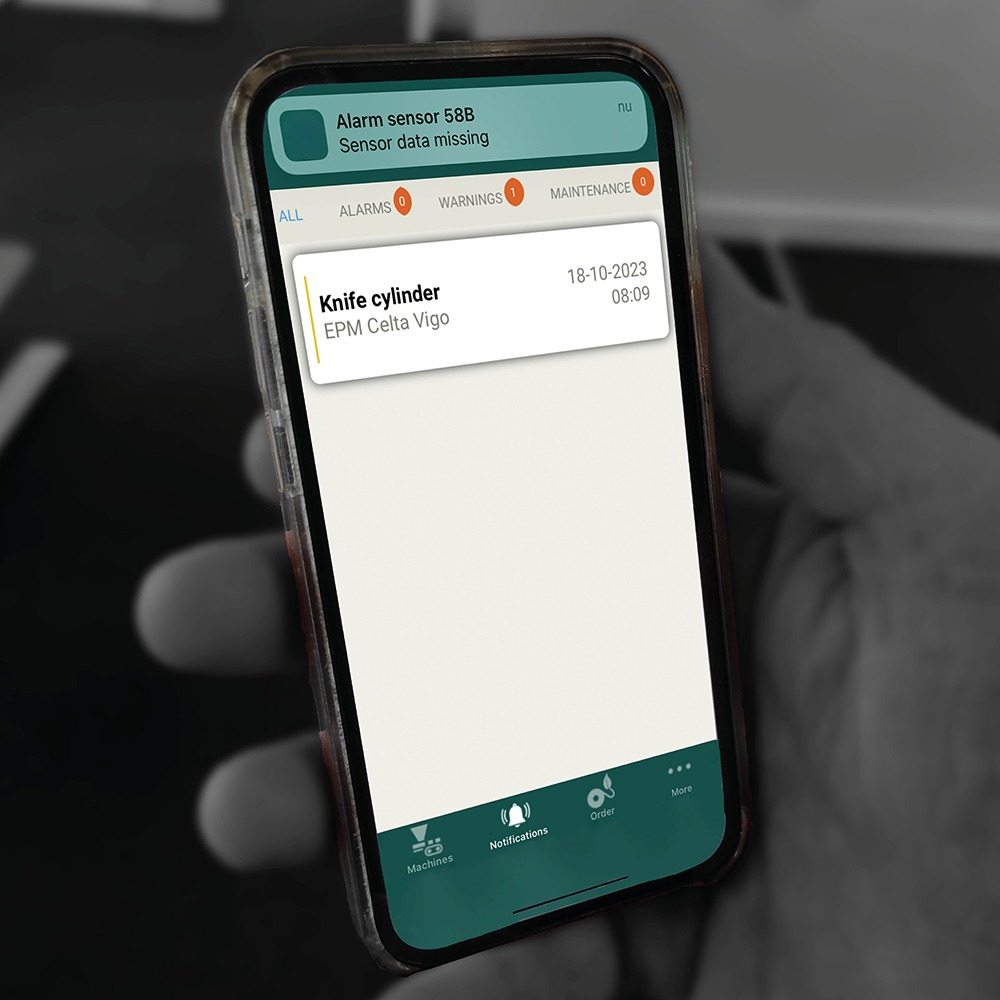
Receive messages on the app

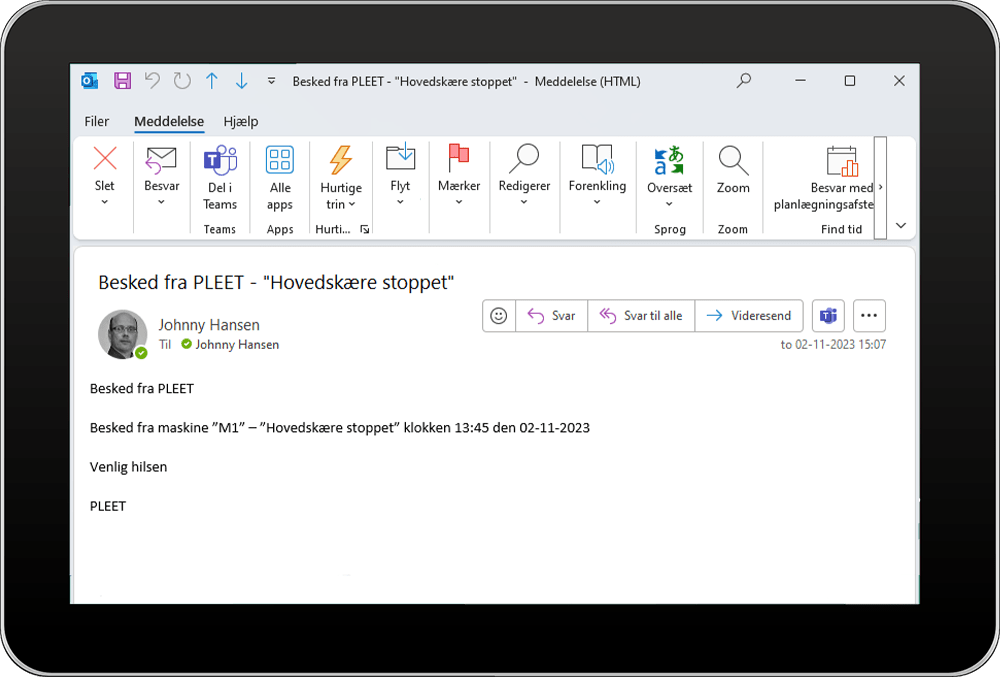
Receive messages by email

Create work schedules with PLEET-Notify
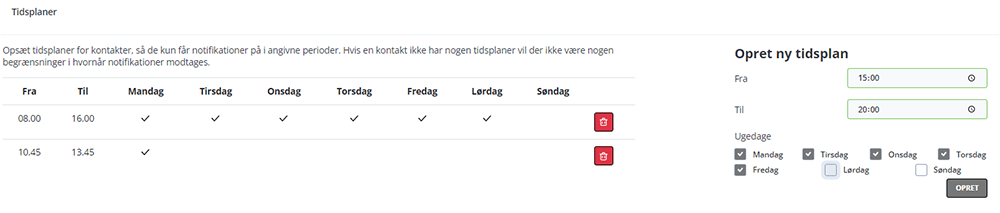
With PLEET-Notify , you can create shift schedules so that a notification is sent only to the person or people on duty at the time the situation arises.
To make things easier, you can create groups to which individual employees can be assigned. These groups can then be linked to the various reasons for termination.
If you need to send a text message or an email, you can set it up yourself in the PLEET-Notify module in an easy and intuitive way.


Automatic notification when a production machine stops is crucial for several reasons:
Early Error Detection
By receiving an automatic notification when the machine stops, operating personnel can immediately identify the problem and respond quickly. This reduces downtime and minimizes the loss of production capacity.
Preventive maintenance:
Continuous monitoring and the receipt of alerts enable the implementation of preventive maintenance procedures.
This can prevent future machine downtime and extend the service life of the equipment.
Workplace Safety:
Some machine shutdowns may be caused by hazardous situations, such as overheating or pressure surges.
Automatic alerts enable a rapid response to protect workers and ensure that dangerous situations do not arise.
Effective resource allocation:
With automatic notification, management can effectively allocate resources—such as labor and spare parts—to address the problem quickly and efficiently. This can minimize repair costs and downtime.
Do you have any questions? – Contact us today

